PRIVATE PREVIEW

BOOTY PLUGs

BOOTY PLUGs — pink graffiti lettering with pig tag and copyright

A GIFT FROM REBOOT

MEET THE PIGS
BOOTY PLUGs

SO… WHAT’S ALL THIS NOISE?

Hey, I’m Reboot.

I started building these little noise machines for my own studio. Things I wanted to play with. Things that made me grin. Somehow, the pigs took over.

They may look funny, but they’re REBOOT sound-approved.

I got tired of staring at overly technical interfaces and hyper-modern UIs. Making music isn’t about owning the latest high-end mastering-whatever plugin. It’s about your ears, your ideas and having fun.

So here’s BOOTY PLUGs: my free collection of audio plugins. Simple-to-understand devices, tons of possibilities — made for experimenting, happy accidents and those “wait… do that again” moments.

No purchase required. Just tools from my studio to yours.

Dedicated to my inner child.

Made for the love of making noise.

THE COLLECTION / BETA

SMALL MACHINES.
BIG PERSONALITIES.

Eight tools from my studio to yours.

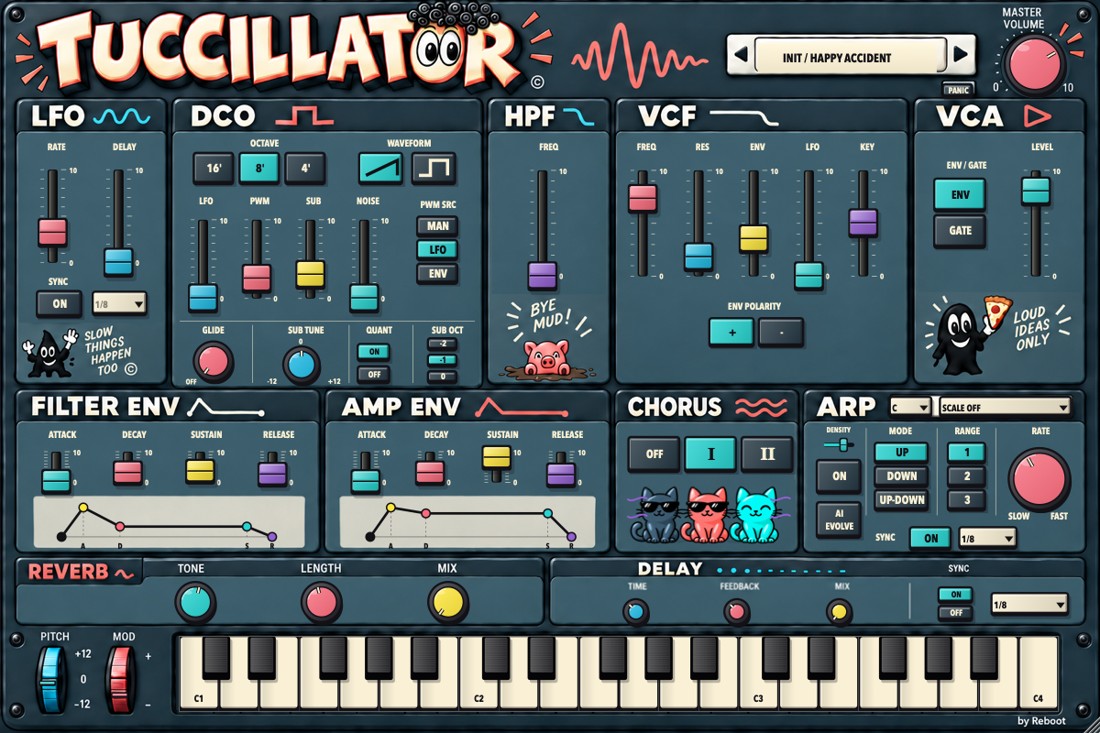
TUCCILLATOR plugin interface

01 / Synthesizer · BETA

TUCCILLATOR

A six-voice synthesizer with a direct, hands-on layout. Start with a preset, then shape the source, brightness, note envelope and space. The arpeggiator can turn held notes into moving patterns.

YOUR FIRST MINUTE
  1. Load an instrument Place TUCCILLATOR on a MIDI/instrument track. Play a keyboard or the on-screen keys.
  2. Choose a sound Browse the preset menu or use the previous/next arrows. Keep MASTER at a comfortable level.
  3. Make it yours Try VCF FREQ, AMP ENV and CHORUS first. Save a useful variation with Save Preset.
FULL USER GUIDE ↗
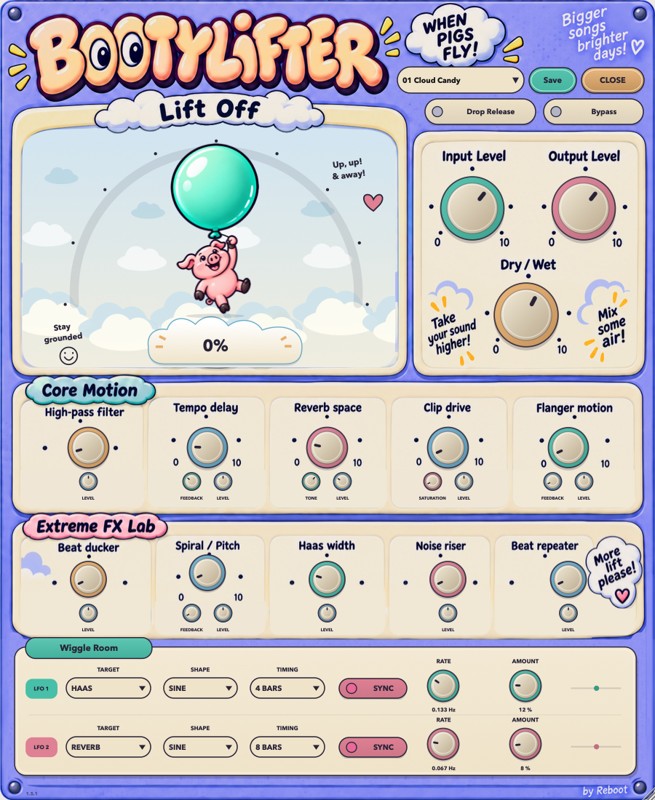
BOOTYLIFTER plugin interface

02 / Creative multi-FX · BETA

BOOTYLIFTER

A rising, moving multi-effect for transitions, textures and happy accidents. LIFT brings the selected effects to life; DROP RELEASE lets their stored sound fall away. Start with one effect, then combine them with intention.

YOUR FIRST MINUTE
  1. Start at zero Insert BOOTYLIFTER on an audio track. Leave INPUT and OUTPUT at 0 dB, MIX at 100%, and LIFT at 0%. Open the lower panel when you want the detailed controls.
  2. Pick one colour Choose a factory preset or raise one effect in Core Motion. Turn LIFT up slowly while a loop plays. Watch the balloon, but judge the result by ear.
  3. Let it go Try DROP RELEASE after building a sound. Compare with BYPASS, then adjust MIX and OUTPUT so the effect sits comfortably in the track.
FULL USER GUIDE ↗
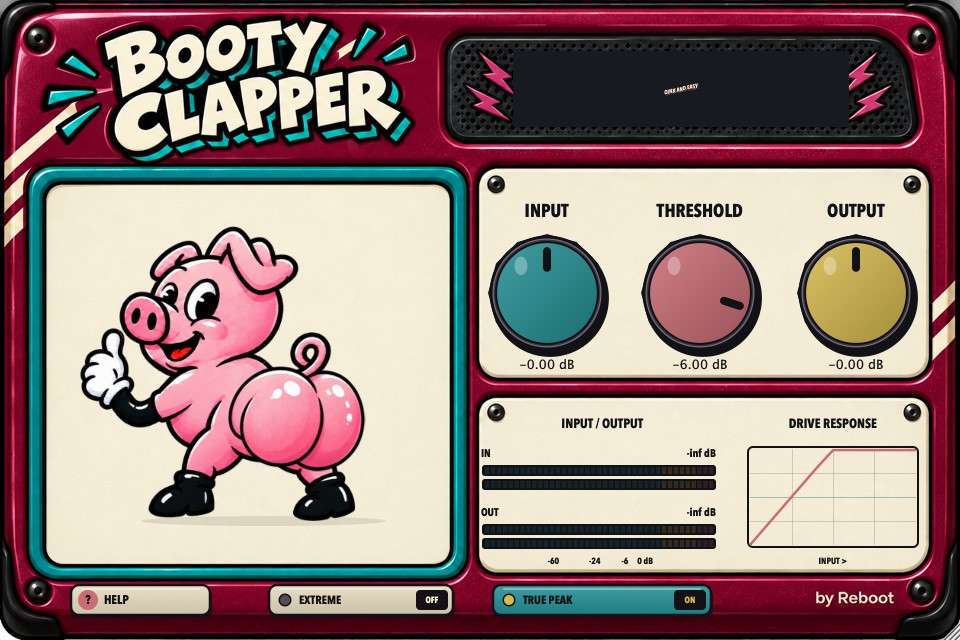
BOOTYCLAPPER plugin interface

03 / Compression & drive · BETA

BOOTYCLAPPER

A compact way to add weight, control peaks and push a sound into saturation. INPUT, THRESHOLD and OUTPUT work together; EXTREME adds a stronger character, while TRUE PEAK provides extra output protection.

YOUR FIRST MINUTE
  1. Start gently Insert it on an audio track. Start with INPUT 0 dB, THRESHOLD -6 dB, OUTPUT 0 dB, EXTREME off and TRUE PEAK on.
  2. Find the weight Loop a passage with clear attacks. Raise INPUT gradually, then compare THRESHOLD settings. Listen to the attack and the body.
  3. Match and compare Lower OUTPUT to compare at similar loudness. Use your DAW bypass and listen in the arrangement as well as solo.
FULL USER GUIDE ↗
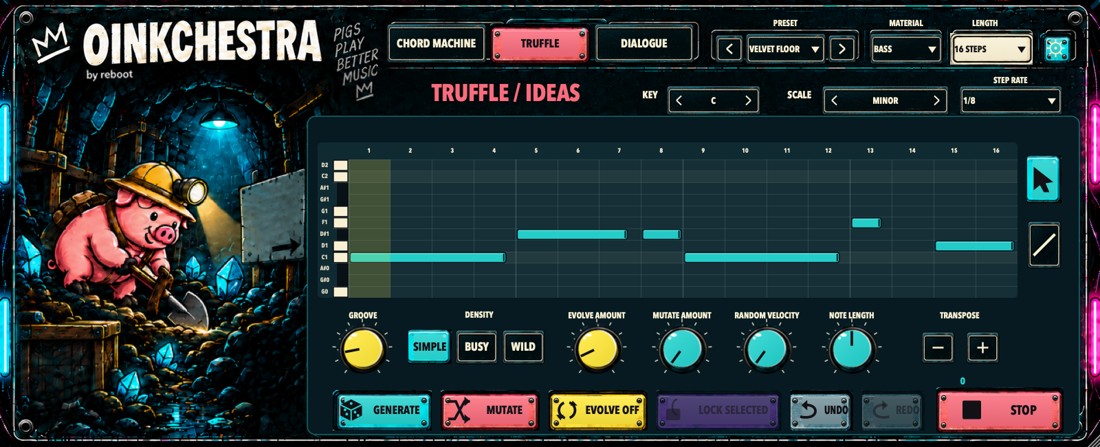
OINKCHESTRA plugin interface

04 / MIDI ideas & chords · BETA

OINKCHESTRA

Three ways to write MIDI: CHORD MACHINE turns played keys into chords; TRUFFLE builds one sequence; DIALOGUE alternates a call and a response. All three can play one connected instrument. The optional OINK B RECEIVER is only for DIALOGUE when its response should play a second instrument.

YOUR FIRST MINUTE
  1. Connect an instrument In Logic, insert the AU in a MIDI FX slot above an instrument. In Ableton, use VST3 and route its MIDI to an instrument on another track. Chapter 01 gives the exact setup.
  2. Hear your first idea Choose CHORD MACHINE and play a key, or choose TRUFFLE and press PLAY. If FOLLOW DAW is enabled, start the DAW transport too.
  3. Keep a useful result Turn EVOLVE off when you like a phrase and save your DAW project. Use PANIC if notes remain held.
FULL USER GUIDE ↗
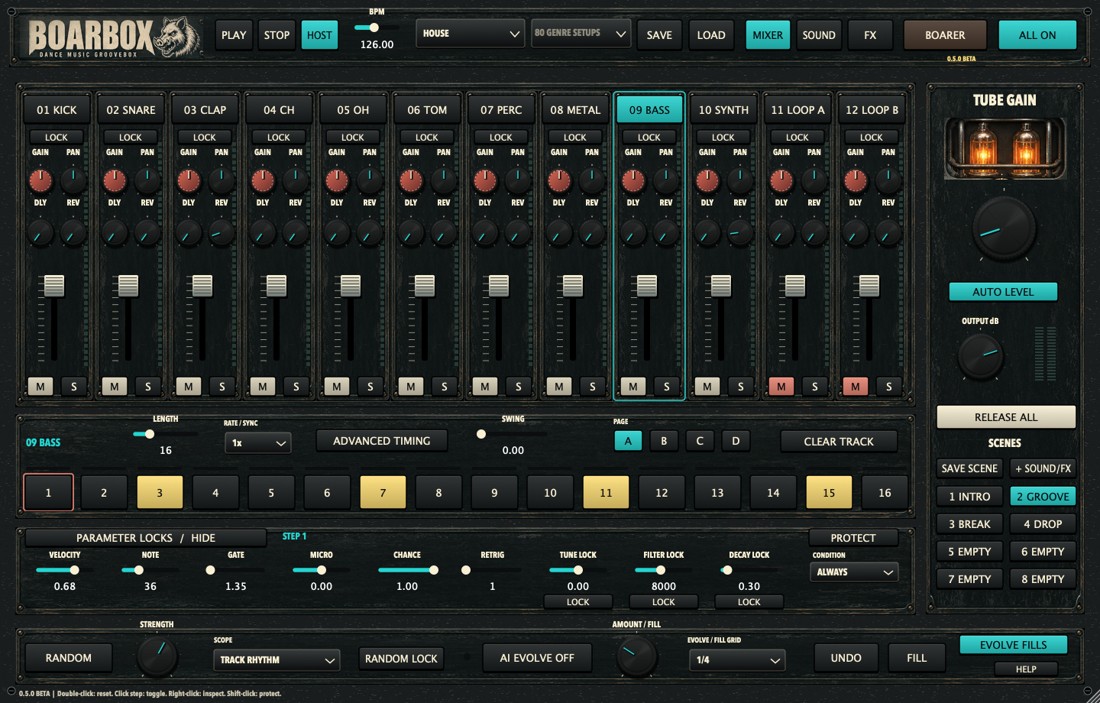
BOARBOX plugin interface

05 / Drums & grooves · BETA

BOARBOX

A twelve-track groovebox for drums, bass, synth parts and sample loops. Build a pattern, shape each sound, mix the tracks and perform with scenes or fills. MIXER, SOUND, FX and BOARER share the same sequencer underneath.

YOUR FIRST MINUTE
  1. Hear a pattern Load BOARBOX on an instrument track. Use PLAY or host transport. Start with the factory groove and a comfortable output level.
  2. Choose one track Select a channel, open SOUND and listen with AUDITION. The visible step lane follows that selected track.
  3. Save the session Use SAVE with SESSION to keep the whole performance, including sounds, samples and scenes. Save the DAW project too.
FULL USER GUIDE ↗
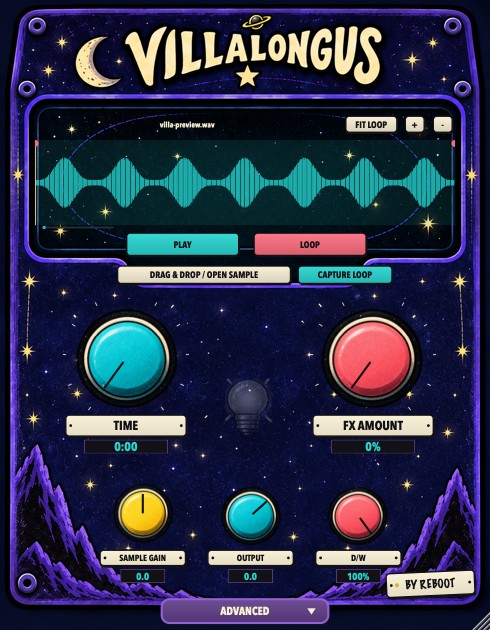
VILLALONGUS plugin interface

06 / Time & grains · BETA

VILLALONGUS

Turn a loaded sample or a captured loop into a long, evolving texture. Start with clean playback, then add stretch, rhythmic effects and controlled variation. Open ADVANCED when you want to shape the details.

YOUR FIRST MINUTE
  1. Load or capture Drop a sample or use OPEN SAMPLE. CAPTURE LOOP can record the track input while the host transport runs.
  2. Hear the starting point Set TIME and FX AMOUNT to 0. Select a region, press PLAY and use LOOP for repeated playback.
  3. Develop the texture Raise TIME or FX AMOUNT gradually. Open ADVANCED for rhythm, motion and six effects. Save your DAW project.
FULL USER GUIDE ↗
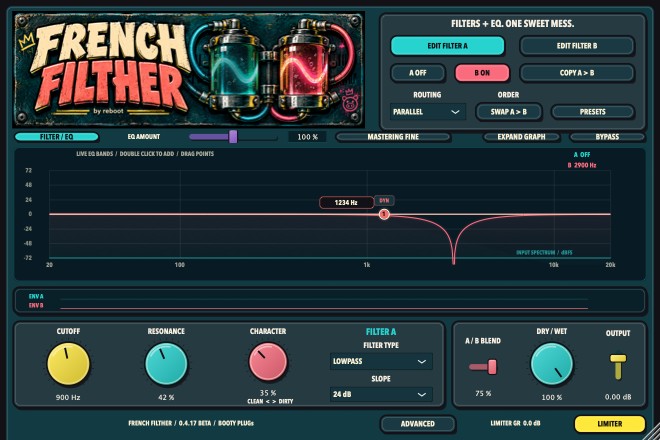
FRENCH FILTHER plugin interface

07 / Dual filters & EQ · BETA

FRENCH FILTHER

Two independent filters, six moving EQ bands and a hands-on display. Use it for small tonal corrections, rhythmic movement or more coloured filtering. Begin with one section and add complexity only when the sound needs it.

YOUR FIRST MINUTE
  1. Start with audio Insert it as an audio effect and play a loop. New instances start with both filters and all EQ bands off, so the source is initially unchanged.
  2. Enable one filter Choose EDIT FILTER A, switch A on and try CUTOFF with modest RESONANCE. Open ADVANCED for movement.
  3. Compare Use BYPASS to compare with the original. Match the listening level and save useful changes from PRESETS.
FULL USER GUIDE ↗
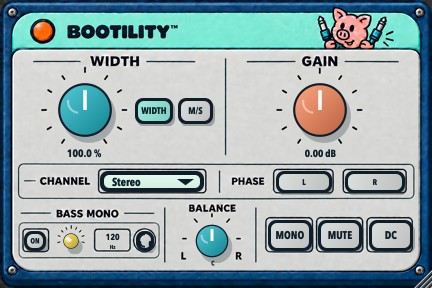
BOOTILITY plugin interface

08 / Stereo utility · BETA

BOOTILITY

A compact stereo toolkit for width, low-end focus, level and channel checks. Use the plugin for detailed control or the supplied Ableton rack for quick access to the main functions.

YOUR FIRST MINUTE
  1. Start neutral Use WIDTH mode at 0%, GAIN at 0 dB, centred BALANCE and CHANNEL Stereo. Leave MONO, phase inversion and AUD off.
  2. Shape the image Raise WIDTH gradually. Enable BASS MONO if you want the lows to stay focused in the centre.
  3. Check the result Compare in MONO, return to stereo, and check your output meter. BOOTILITY has no limiter.
FULL USER GUIDE ↗
A hopeful pink pig with an empty token jar: AI tokens are stupid expensive

A LITTLE LOVE GOES A LONG WAY

LIKE WHAT
YOU’RE GETTING?

These tools are a passion project.
A gift from my studio to yours.

If you fancy feeding the token jar, your support helps fund future updates and more happy accidents.

Always free. Absolutely no pressure.